

7 AI note-taking apps that record your meetings
- Find the app that records your meetings.
- Boost your efficiency with these note-taking apps.

Leexi, Otter, Fireflies and Rev record an in-person meeting from their iOS or Android app. Avoma does so only in part, through a recording started by hand in the app. Of the five, Leexi is the only one that keeps data in France. A device like Plaud records without the phone, then transfers the file to its app.
In a world where information flows at a rapid pace, having an effective note-taking app is more essential than ever. Whether you’re a busy professional in meetings or simply someone looking to keep organized, the right note-taking app can transform the way you work. Here’s an overview of seven note-taking apps.
Comparison table: recording a meeting from your phone
| Tool | iOS and Android app | In-person meeting | Without a network | Languages | Data location | Summary and action items | CRM |
|---|---|---|---|---|---|---|---|
| Leexi | Yes | Yes, phone placed near the speakers | Up to 4 h, automatic upload when the network returns | More than 100 | France, AWS Paris region; Scaleway option | Yes | HubSpot, Salesforce, Pipedrive and others; syncing in the Business plan |
| Otter | Yes | Yes, phone microphone, no bot | Recording continues, live transcription resumes when the network returns | 17, one per conversation; automatic switch from French to English if French is the default language | United States, AWS US West region | Yes | Salesforce and HubSpot from the Pro plan, with a user limit |
| Fireflies | Yes | Yes | Yes, file kept on the phone until you are back online | More than 100; one per meeting with automatic detection, multilingual mode in beta | United States, AWS and GCP; storage in the European Union on the Enterprise plan, processing in the United States | Yes | 13 CRMs, including Salesforce, Pipedrive and HubSpot (Pro plan minimum for HubSpot) |
| Avoma | Yes | Partial: manual recording in the app | Not documented | More than 60 | United States, AWS | Yes | Salesforce, HubSpot, Pipedrive, Zoho |
| Rev | Yes | Yes, except phone calls | Yes, in the app | 37 for AI transcription, one per file; English only on the free plan | United States, AWS | Yes | Not documented; Clio Manage from the Pro plan |
Sources: help centers and pricing pages of Otter, Fireflies, Avoma and Rev, Leexi pages and support, accessed on September 16 and November 13, 2026.
Which applications record an in-person meeting?
Mobile app or video conferencing bot
In a video conference, the tool sends a bot into the meeting. Leexi's has to be admitted from the waiting room.
With the Leexi app, you put the phone on the table and start recording, which you can pause. Leexi recommends moving the phone closer to the speakers and switching to airplane mode.
Otter, Fireflies and Rev also record an in-person meeting from their app. Rev does not record phone calls.
Avoma says it does not fully support in-person meetings. It offers two solutions: starting a conference during the meeting, or recording by hand in the app.
For step-by-step setup, see our guide to using an AI note-taking assistant in person.
The 7 applications, one by one
Leexi
Leexi is a note-taking tool specially designed for meetings. This mobile note-taking app allows you to easily record in-person discussions and generate transcriptions without writing a single word.
What truly sets Leexi apart is its automatic summarization of your meetings. With the app, you receive organized reports that highlight key points and next steps, allowing you to stay focused on conversations rather than rushing to take notes.
You can access your recordings and summaries through the Leexi online platform, making it easy to review past discussions. It also integrates well with popular CRM systems like HubSpot and Salesforce, ideal for professionals looking to streamline their workflow.
Security is also a priority, as Leexi keeps your data safe and compliant with regulations like GDPR. This ensures your information remains secure while offering a smooth and efficient note-taking experience.
Strengths:
- Speaker identification, helped by a round of introductions by name at the start of the meeting.
- Reliable transcriptions.
- Customizable summaries through prompts.
- Automatic attribution of next steps.
- European mobile app.
- GDPR compliant, ISO27001 certified, and respectful of the EU AI Act.
- Also works with the video conferencing tools Zoom, Google Meet and Teams.
Weaknesses:
- No permanent free version, only a free trial available.

Try Leexi for free and unlock your potential.
Otter
Otter stands out for its focus on instant transcription of meetings. With its advanced voice recognition system, this app easily converts your meetings into navigable text.
Besides its capability to generate intelligent summaries and identify speakers, Otter also facilitates note-sharing within your team, allowing everyone to access key points of the meeting, even if they weren’t present.
Strengths:
- Automatic summary generation.
- Indication of next steps to ensure no key information is lost.
- A free plan for tight budgets.
- Easy note sharing within the team.
Weaknesses:
- Transcription in 17 languages, only one per conversation.
- Data storage based in the US, which raises potential privacy concerns.

Fireflies
Fireflies.ai is a virtual assistant that simplifies note-taking by recording your meetings on various platforms like Zoom, Google Meet, and Microsoft Teams. With Fireflies, the assistant joins your calls and captures every spoken word.
The app allows you to edit and annotate transcriptions, giving you full control over your notes. Additionally, Fireflies generates automatic summaries that isolate decisions and follow-up actions, making task management after the meeting a breeze.
Strengths:
- GDPR compliant.
- Reliable transcriptions.
- Customizable summaries.
Weaknesses:
- Data stored in the US.
- Lack of personalized support for users.

Avoma
Avoma is an application specifically designed for sales and customer service teams. It captures automated notes during calls while generating analytical reports on team performance.
This application also allows you to mark key moments during meetings, thus promoting smooth collaboration and flow of information within your teams. By integrating with various CRM systems, Avoma systematically optimizes customer interaction tracking.
Strengths:
- Reliable transcriptions.
- Analytical reports on sales team performance.
Weaknesses:
- Targeted towards sales usage.
- From $19 to $39 per month per recording seat, billed annually.

Rev
Rev combines automated and human transcription, with 99% accuracy guaranteed for human transcription of clear audio.
Supporting multiple languages, Rev proves particularly useful for teams subject to regulations like the ADA and FCC. Its user-friendly interface allows for optimal management of transcriptions, essential for businesses seeking a high-performance solution.
Strengths:
- Reliable transcriptions.
- Supports multiple languages.
Weaknesses:
- Data hosted in the United States (AWS).
- Its interface requires a basic level of technical knowledge.

Notta
Notta is a note-taking tool that excels at real-time transcription and summarization of meetings. Whether on Zoom or similar platforms, Notta ensures precise capture of every detail.
This note-taking application also stands out for its support of 65 languages, facilitating collaboration among international teams. Additionally, it offers various export options, allowing you to save your notes in versatile formats.
Strengths:
- Reliable transcription.
- Simple and intuitive interface.
- Easy exporting.
- Multilingual.
Weaknesses:
- AI summaries limited to 10 per month on the free plan.
- Action items timestamped only for audio shorter than 90 minutes.

MeetGeek
MeetGeek brings AI technology into note-taking by automating the process to optimize your meetings. Compatible with major video conferencing platforms, this app provides you with transcriptions and immediate summaries after each interaction.
It's also possible to mark key moments during the meeting, which is valuable for recalling essential discussions or strategic decisions.
Strengths:
- European application.
- GDPR compliant.
- Fast transcription.
- Summaries and next steps.
Weaknesses:
- Transcription accuracy may be slightly lower in certain languages.

App or recording device like Plaud?
What a device like Plaud does
Plaud offers recording devices, including the NotePin and the Plaud Note. The device records on its own, without the phone. The file then moves to the Plaud app at the next Bluetooth connection.
The NotePin records in-person meetings, not phone calls. The Plaud Note picks up calls through a vibration sensor placed on the back of the phone. Without a network, the NotePin S stores up to 64 GB of recordings.
In the app, Plaud transcribes the recording, then draws a summary, a mind map and action items from it. It supports more than 112 languages, only one per recording.
The free plan gives 300 minutes per month, once a device is linked to the account. Plaud does not offer a public API: access to data goes through Plaud MCP and Plaud CLI. The Salesforce integration is reserved for Team workspaces.
To compare the two approaches, see Leexi, the software alternative to Plaud.
What teams who have used it say
Plaud is mentioned in 69 Leexi demos between January and June 2026.
In February 2026, a prospect reserved it for "consultants who are a bit free agents, who have a lot of in-person meetings". Another found it good, "but the summaries are never incredible either" (both quotes translated from French).
In January, a prospect compared the device with Leexi's bot, which you are "obliged to accept into the meeting" (translated from French).
In May, another pointed out that Plaud has "no open APIs" (translated from French).
At the end of April, a team hoped to "phase out Plaud in the next few months", once Leexi was integrated into its Office 365 environment.
Data and participants' agreement
For a European Union account, Plaud stores and processes data in Frankfurt, on AWS. Its privacy policy declares servers in the United States, Germany, Japan and Singapore.
Plaud says it complies with GDPR, as a processor. In March 2026, however, a prospect was parting with their device: "when it comes to GDPR, well, apparently, we're not good" (translated from French). They did not specify the problem.
Plaud leaves it to the user to inform participants and obtain their agreement. On the Plaud Note, a red light stays on throughout the recording and cannot be turned off.
A technical director explained: "when you put the device down, you get the person's agreement" (translated from French).
Before recording in person with Leexi, our page on AI note-taking in person explains how to inform participants.
Which application should you choose to record your meetings?
With these seven note-taking applications, you now have the tools necessary to maximize your efficiency and keep your ideas well-organized. Among these options, Leexi stands out for its data hosting in France and its mobile app, which records for up to 4 hours without a network. Its focus on security and compliance, coupled with its integration features with popular CRM systems, makes it a tool suited to professionals looking to optimize their work. Adopt Leexi to transform your note-taking experience and gain efficiency in your daily tasks.
Try Leexi for free and unlock your potential.

If your meetings take place mostly in video conferences
Leexi joins Google Meet, Zoom, Teams and Webex. Otter and Fireflies join Zoom, Google Meet and Teams.
For Teams, see AI note-taking tools for Teams. For other criteria, see the comparison of AI meeting software.
If you mostly record in person
The Leexi mobile app records for up to 4 hours, even without a network. The recording is sent automatically when the network returns.
For meetings without a connection, see our page on the offline note-taking application. For a free tool, see our selection of free AI tools for taking notes.
Frequently asked questions
Which note-taking apps keep recordings in Europe?
Leexi stores data in France, on AWS Paris region, with a Scaleway option. Plaud keeps European Union accounts on AWS in Frankfurt. Fireflies offers storage in the European Union on its Enterprise plan, with processing in the United States. Otter, Avoma and Rev host data in the United States, on AWS.
Can an app transcribe a meeting where two languages are spoken?
It depends on the tool. Otter transcribes only one language per conversation, except for an automatic switch from French to English when French is its default language. Fireflies keeps a single language per meeting with automatic detection and offers a multilingual mode in beta. Rev transcribes one language per file, Plaud one language per recording. Leexi supports more than 100 languages.
How does the app tell speakers apart when everyone speaks into the same phone?
In person, all voices go through the same microphone. With the Leexi app, you enter the number of participants when you send the recording. A round of introductions where everyone says their name at the start of the meeting then helps attribute the speaking turns. Put the phone near the speakers.
Which app for salespeople who record their in-person customer meetings?
You need an app that records from the phone and sends the minutes to the CRM. The Leexi app records the meeting, and the Business plan syncs HubSpot, Salesforce, Pipedrive and other CRMs. Otter sends to Salesforce and HubSpot from its Pro plan, with a user limit. Fireflies connects 13 CRMs, HubSpot from the Pro plan. Avoma, designed for sales and customer service teams, supports in-person meetings only in part, through a manual recording in the app.
Can you try the Leexi app before subscribing?
Leexi offers a 7-day trial, from the demo page. There is no permanent free plan. The mobile app is included from the Starter plan: €12 per licence per month with annual billing, €15 monthly, excl. VAT, with 20 hours of recording per month and 6 months of storage.
Further reading: What is an AI note taker? · How Leexi transforms meetings
Recommended Articles

The 8 best free AI note-taking solutions
Discover 8 free AI tools for taking notes. Automate your meeting minutes, save time and never miss a thing.
09/01/2026
Read more
How to record an onsite meeting and check who committed to what?
Record your meeting with Leexi or your phone's voice recorder, identify the voices and check who made each commitment before sending the report.
11/19/2026
Read more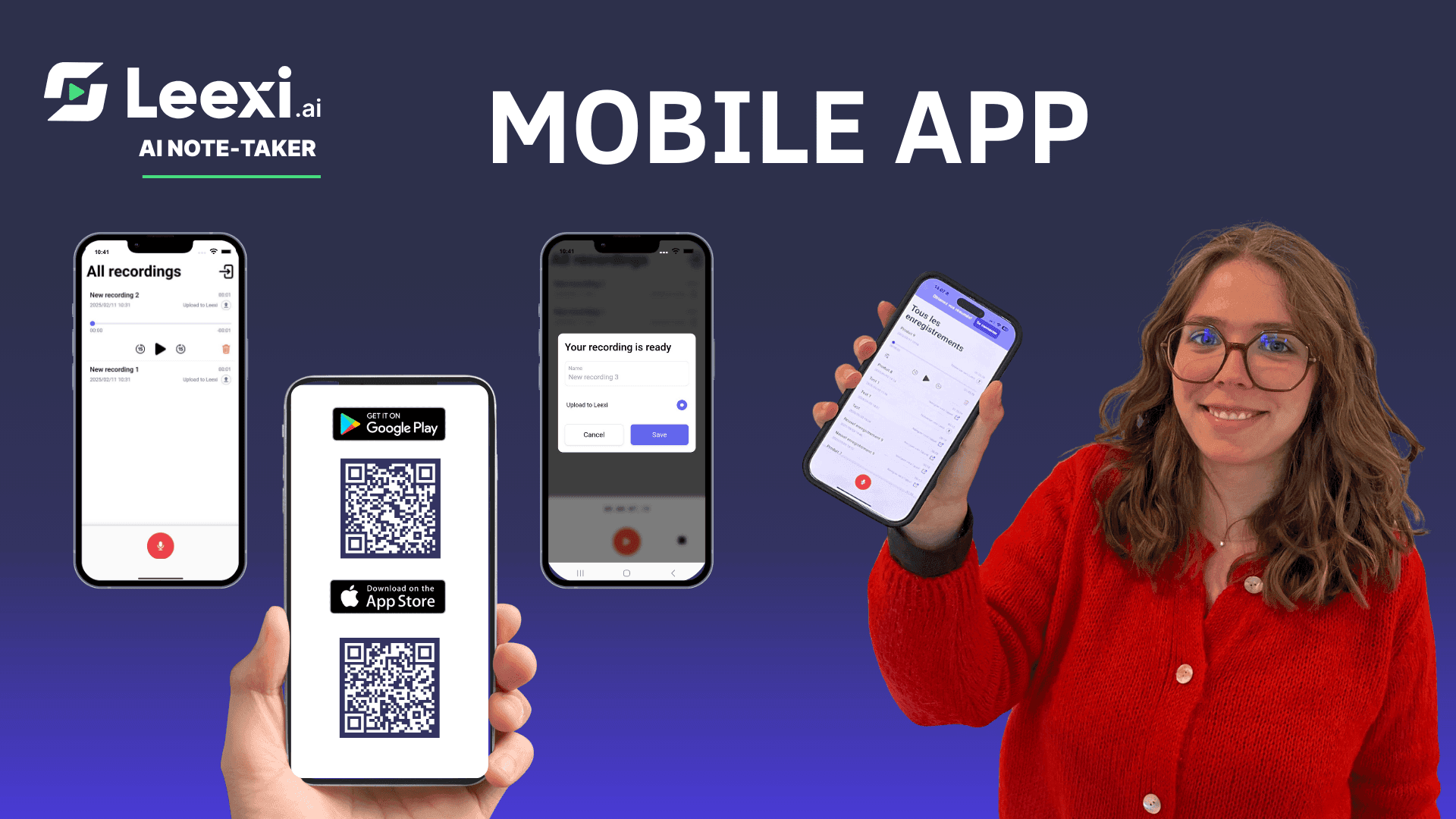
Take meeting notes with Leexi’s mobile note-taking app
Discover how the Leexi mobile app records, transcribes, and summarizes your in-person meetings on iOS and Android.
10/05/2026
Read moreReady to boost your productivity with Leexi?
Leexi AI Notetaker takes notes for you