

AI note-taking on Teams: Facilitator and 5 other tools
- Boost your productivity
- Use the right tools
- Step into the AI era
In Teams, Microsoft offers Facilitator, which takes notes during the meeting with a Microsoft 365 Copilot license. It covers only scheduled Teams meetings, not external meetings, with a single spoken language per meeting. Leexi, Otter, Gong and Chorus also join Zoom and Google Meet. Leexi hosts data in France.
The AI Era is radically transforming how we work, and business meetings are no exception. Microsoft Teams, a crucial collaboration platform, is witnessing the emergence of numerous intelligent tools designed to simplify and optimize our professional lives. Among these, AI Note Takers stand out, offering a valuable solution for capturing and organizing crucial information effortlessly. In this article, we will introduce you to five AI Note Takers to integrate with your use of Teams for more effective and productive meetings. Get ready to discover how a simple integration can transform your approach to work and boost your team's productivity.
Comparison table: taking notes in a Teams meeting
| Tool | How it joins the Teams meeting | Outside Teams | What the administrator must do | Meeting room | Data location | CRM |
|---|---|---|---|---|---|---|
| Facilitator (Microsoft) | Added to a scheduled meeting by the organizer or a presenter; not in channel meetings or external meetings | Zoom and Google Meet absent from the documentation | Assign a Microsoft 365 Copilot license; only licensed users can start it | Teams Rooms on Windows, Teams Rooms Pro license; unscheduled in-room meeting in preview | European Union for European customers (EU Data Boundary), excluding Anthropic's models | Salesforce and Dynamics through the Sales agent, separate license; HubSpot and Pipedrive not documented |
| Leexi | Joins the meetings in the connected Outlook calendar; to be admitted from the lobby | Google Meet, Zoom, Webex, Apizee and 5 others | Approve Leexi in Microsoft Entra when the organization requires it | iOS and Android mobile app, up to 4 h without a network | France, AWS Paris region; Scaleway option | HubSpot, Salesforce, Pipedrive, Zoho CRM, Odoo and 6 others |
| Otter | Joins from the calendar, as an anonymous guest; may need to be admitted | Zoom, Google Meet | Allow anonymous users to join without verification; Entra consent for the Outlook calendar | iOS and Android mobile app | United States, AWS US West region | Salesforce and HubSpot from the Pro plan, with a user limit |
| Gong | Bot as an anonymous guest by default; meeting scheduled at least 30 minutes beforehand | Zoom, Google Meet, Webex and others | Configuration by the technical administrator on the Gong side; Gong domain to be allowed for the authenticated bot | Mobile app, audio only | United States by default, or European Union; processing in the United States, Israel and Ireland | Salesforce, HubSpot or Dynamics, one CRM at a time |
| Chorus (ZoomInfo) | Bot through the calendar, on meetings with a guest from another domain; or import of Teams recordings without a bot | Zoom, Google Meet, Webex | Import without a bot: global or Teams administrator, setting in PowerShell | Not documented in the guides reviewed | Not documented in the guides reviewed | Salesforce, HubSpot, Dynamics, cloud versions |
Sources: Microsoft documentation, Otter and Gong help centers, Chorus by ZoomInfo technical guides, Leexi pages and support, accessed on September 16 and November 13, 2026.
What an AI note-taking tool does during a Teams meeting
An AI Note Taker is an innovative solution that uses artificial intelligence to automate note-taking during meetings, conferences, or discussions. Its primary purpose is to simplify this task by eliminating the need to take notes manually. By leveraging advanced technologies such as natural language processing (NLP) and speech recognition, the AI Note Taker transcribes conversations with precision. It converts spoken language into text, accurately capturing every element of the conversation. Additionally, the AI Note Taker excels in organizing and analyzing the information contained in the notes. Its sophisticated algorithms enable it to understand the context of discussions and offer relevant suggestions.
Copilot and Facilitator: what Microsoft already does in Teams
The intelligent recap, after the meeting
The intelligent recap requires a Teams Premium or Microsoft 365 Copilot license. It covers Teams or Outlook meetings, "Meet now" meetings and Teams events.
Transcription is mandatory. Without a recording, the recap loses the speakers, topics and chapters.
Facilitator, the notes taken during the meeting
Facilitator requires a Microsoft 365 Copilot license.
In a meeting room, it requires a Teams Rooms room running Windows and a Teams Rooms Pro license. In-room note-taking without a scheduled meeting is in preview. Only speakers who give their name at the start of the session are identified.
What teams who use it say
During a demo in March 2026, a prospect described how they use it: "we're sort of running on Facilitator […] not ideal, it depends on the meetings". Their team holds 10 to 15 meetings a day. During an outage of Microsoft's servers, their notes had "nothing to do with the meeting" (all quotes translated from French).
Two other prospects regretted that Facilitator stays inside Teams: "it doesn't connect to Zoom and the like" (translated from French); "we cannot connect with any other meeting tools like example Google Meet or Zoom". The first one nevertheless found it "quite easy to use" (translated from French), because the minutes stay in the work environment.
In April 2026, an IT technical lead judged that Facilitator "works really really well". But not in a boardroom: "in a boardroom environment around the table it's got quite a few shortcomings".
Another found it "sufficient for the general purpose", but behind when people switch languages in executive committee meetings.
A prospect also relayed the view of their IT department: Facilitator, "with the license we have today, allowed us to have the same features as Leexi" (translated from French). They had not been able to test it themselves.
5 tools that take notes in your Teams meetings
Leexi
Leexi stands out as an essential tool for teams using Microsoft Teams, thanks to its advanced features for automated note-taking and call management. With call transcription integration, Leexi allows users to receive highly precise and detailed notes. This feature is especially useful for professionals who want to focus on the conversation without worrying about manually taking notes. At the end of each call, Leexi automatically generates a report that includes the next steps to follow. This report can then be sent to call participants, or kept until it is validated, ensuring clear communication and effective follow-up on actions to be taken. This automation saves valuable time. Moreover, integrating Leexi is designed to be quick and simple. In just three clicks, users can connect their calendar and start enjoying all the tool's offered features. Users can also add comments and notes to debrief calls, share feedback, and communicate transparently.
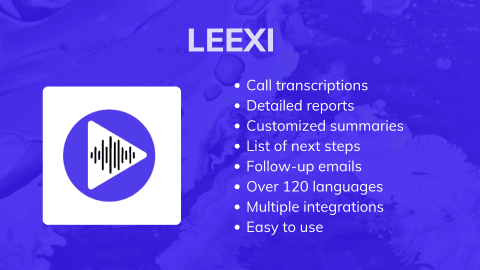
Leexi also offers the possibility of receiving fully customized summaries, available in over 100 languages. Users can choose the summary length and receive them automatically by email, on Leexi, or directly in their CRM. This flexibility allows users to adapt to their specific preferences and needs. Finally, Leexi seamlessly integrates with various platforms thanks to its multiple integrations and APIs. This compatibility ensures optimal and smooth usage, allowing users to fully leverage the tool without encountering compatibility issues.
Leexi is a highly powerful and versatile tool for teams using Microsoft Teams. Its numerous features make it a valuable ally for enhancing team productivity.
Chorus
Chorus is a tool for automated note-taking within Microsoft Teams. Chorus AI identifies key points, assigned tasks, and decisions made during meetings. The tool analyzes each interaction, allowing teams to better understand each other and improve their communication strategies. Chorus AI has the ability to analyze the context of discussions, enabling it to generate organized summaries. By analyzing each call and exchange, the tool identifies trends and opportunities for improvement. This conversational intelligence allows sales teams to better understand clients' needs and expectations and adjust their pitches accordingly.
Furthermore, the tool automates data management, ensuring that teams always have the most relevant and up-to-date information for their interactions. This approach to data management not only saves time but also enhances the accuracy and effectiveness of sales and marketing campaigns. Whether it is for analyzing conversations, automating sales tasks, or orchestrating complex workflows, Chorus.AI helps facilitate meetings.
Otter
Otter is an automated note-taking tool designed to transform meetings on Teams. With its meeting assistant, Otter Notetaker, meetings are automatically noted and summarized. The tool instantly converts verbal discussions into text, making it easier to capture key points discussed during meetings. Otter.AI adapts to various sectors: sales teams can close deals and onboard new clients faster, students and educational staff can enhance their academic success, and media professionals can create articles using detailed notes. The Otter AI Chat feature allows for instant responses and content generation, such as emails and status updates, across all meetings. Furthermore, Otter's channels combine live conversations with updates, enabling users to chat with Otter and their teammates to obtain answers and advance projects.
Otter.AI helps to optimize meeting management and improves collaboration within teams.
MeetGeek
MeetGeek is a team note-taking tool that automatically consolidates your calls on Microsoft Teams to record and transcribe meetings. With its features, MeetGeek offers a comprehensive meeting management experience. Meetings are not only recorded and transcribed automatically, but also summarized to extract key points, eliminating the need to sift through hours of recordings. MeetGeek detects key topics and action items, making it easier to catch up on past events in just a few minutes. All your past meetings, including recordings and transcriptions, are centralized in one place. In terms of collaboration, MeetGeek allows you to set team rules for sharing meeting content seamlessly. The tool also offers AI-driven conversation analytics to unlock insights into sales and clients, and it automatically synchronizes recordings with your communication tools.
MeetGeek is a comprehensive tool designed to make meetings more efficient.
Gong
Gong is an AI-powered note-taking tool with extensive conversational analytics capabilities. Gong.AI provides a deep understanding of sales conversations, enabling informed decision-making. Gong offers precise forecasting. Based on a realistic data tableau, the tool allows teams to plan and anticipate outcomes accurately. Additionally, with its integration with communication platforms like Microsoft Teams, Gong automatically captures interactions during meetings, transcribing and analyzing client interactions. Gong identifies best practices and points of friction, allowing sales teams to continuously adjust and improve.
Gong.AI is a comprehensive platform for note transcription and more.
Installing a note-taking tool in Teams: what the IT department must allow
The Leexi cases in this section come from requests received by its support team between January and May 2026.
The Microsoft Entra administrator's approval
When the organization requires it in Microsoft Entra, connecting the Outlook calendar displays "Need admin approval". The Microsoft administrator approves the request, then the user restarts the activation.
The message also appears for an administrator account. Being an administrator does not exempt you from the rules set by another administrator. The administrator passes the check for themselves but has to approve their colleagues.
Otter asks for the same kind of approval for the Outlook calendar: an Entra consent, given by a global administrator or an application administrator.
Leexi's three connection steps are described on the Microsoft Teams integration page.
The bot in the lobby
Leexi's bot has to be accepted from the lobby. If it is not admitted, it leaves the meeting about 8 minutes after the scheduled start time.
For the meeting to be recorded, the bot must be admitted and send its warning message in the meeting.
Otter and Gong join Teams as anonymous guests by default. Otter requires Teams to allow anonymous users to join a meeting unverified.
Channel meetings and personal Teams accounts
Leexi's bot does not join meetings started directly in a Teams channel. For a spontaneous meeting, start it with the "Meet now" button in Teams. Facilitator cannot be added to channel meetings either.
A family Teams subscription, rather than a business one, blocks access to all AI assistants, Copilot included.
The Outlook calendar address must be the same as the Leexi account's.
Informing participants about the recording
Leexi sends a message in the meeting chat, confirming its presence and that it is active.
Teams has a setting that asks participants for their agreement before recording and transcription. It is turned off by default.
During a demo in February 2026, a prospect described Facilitator switching off the camera and microphone until everyone turns them back on. Their company's lawyers were concerned about it.
Gong offers, as an option, meeting links that open a consent page. With Chorus's import without a bot, the organizer must inform participants.
Which tool should you choose for your Teams meetings?
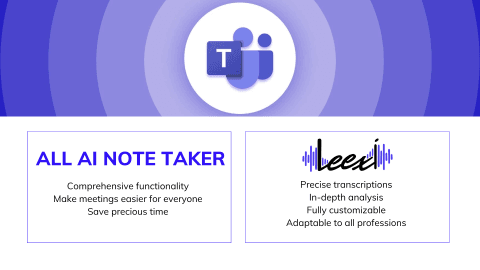
The 5 AI Note Takers are designed to simplify note-taking during meetings on Microsoft Teams. Each of these tools offers features such as automatic transcription, conversation analysis, and integration with other productivity platforms. Leexi stands out for its summaries configured for each meeting type and for in-room recording with its mobile app.
The choice of the best AI Note Taker for Teams depends on the specific needs of the business. Whether it is for precise transcription, in-depth analysis, or seamless integration with other tools, each solution presents distinct advantages that can meet various professional requirements.
When Copilot and Facilitator are enough
If all your meetings take place in Teams, between colleagues, and the Microsoft 365 Copilot licenses are already paid for, start with Facilitator and the intelligent recap.
When a dedicated tool is justified
With customers or partners, Facilitator is not supported. Neither is it on Zoom or Google Meet. Leexi joins Teams, Google Meet, Zoom and Webex.
In a meeting room, Leexi records with its iOS and Android mobile app, for up to 4 hours without a network.
Copilot does not document sending notes to HubSpot or to Pipedrive. In May 2026, a prospect insisted: "it's very important to get the notes to Pipedrive". Leexi sends the minutes to HubSpot, Salesforce or Pipedrive.
Leexi hosts data in France, on AWS Paris region. AWS and Azure remain companies under US law, as Leexi's comparison of AI meeting software points out.
Try Leexi on your Teams meetings for 7 days
Frequently asked questions
Does a Teams Premium license give access to Facilitator?
No. Microsoft requires a Microsoft 365 Copilot license to add Facilitator to a meeting, and does not list Teams Premium in its prerequisites. Teams Premium gives access to the intelligent recap, which summarizes the meeting once it is over. The same Copilot license gives both: the recap and Facilitator.
Does every participant need a Copilot license?
No. Only users who have the license can start Facilitator, and you must be the organizer or a presenter of the meeting, on Teams web or desktop. Participants without a license see the notes during the meeting. Microsoft specifies that Facilitator is included in the Copilot license, subject to available capacity.
Does Facilitator work in a meeting with customers or partners?
No. Microsoft states that Facilitator is not supported in external meetings, and that external participants do not have access to the notes. Otter specifies that a meeting organized by another company may follow that company's rules. Leexi's bot joins the meetings in your Outlook calendar and has to be admitted from the lobby.
Where are Facilitator's notes saved, and who can edit them?
The notes are written in a Microsoft Loop page. The file is stored in the OneDrive of the person who started Facilitator. All meeting participants can edit this page, before, during and after the meeting.
Does Facilitator take notes in a meeting held in French or in several languages?
French is one of the supported languages. Microsoft limits the notes to meetings where a single language is spoken. If the chosen language does not match the one spoken, the notes are not generated. For a meeting where people switch languages, Leexi automatically detects more than 100 languages.
Do Facilitator's notes stay in the European Union?
For European customers, Microsoft presents Copilot as an EU Data Boundary service: the data stays in the European Union. Anthropic's models, used as a subprocessor, are excluded from this commitment to date. The Facilitator page refers to Copilot's rules, with no commitment of its own. Leexi hosts data in France, on AWS Paris region.
Further reading: Automatic meeting minutes on Teams · AI Note Taker for Teams
Recommended Articles
How to use an AI meeting assistant on Teams
Find out how to use Leexi's AI Note taker to automatically take notes on Teams and improve the productivity of your meetings.
09/01/2026
Read more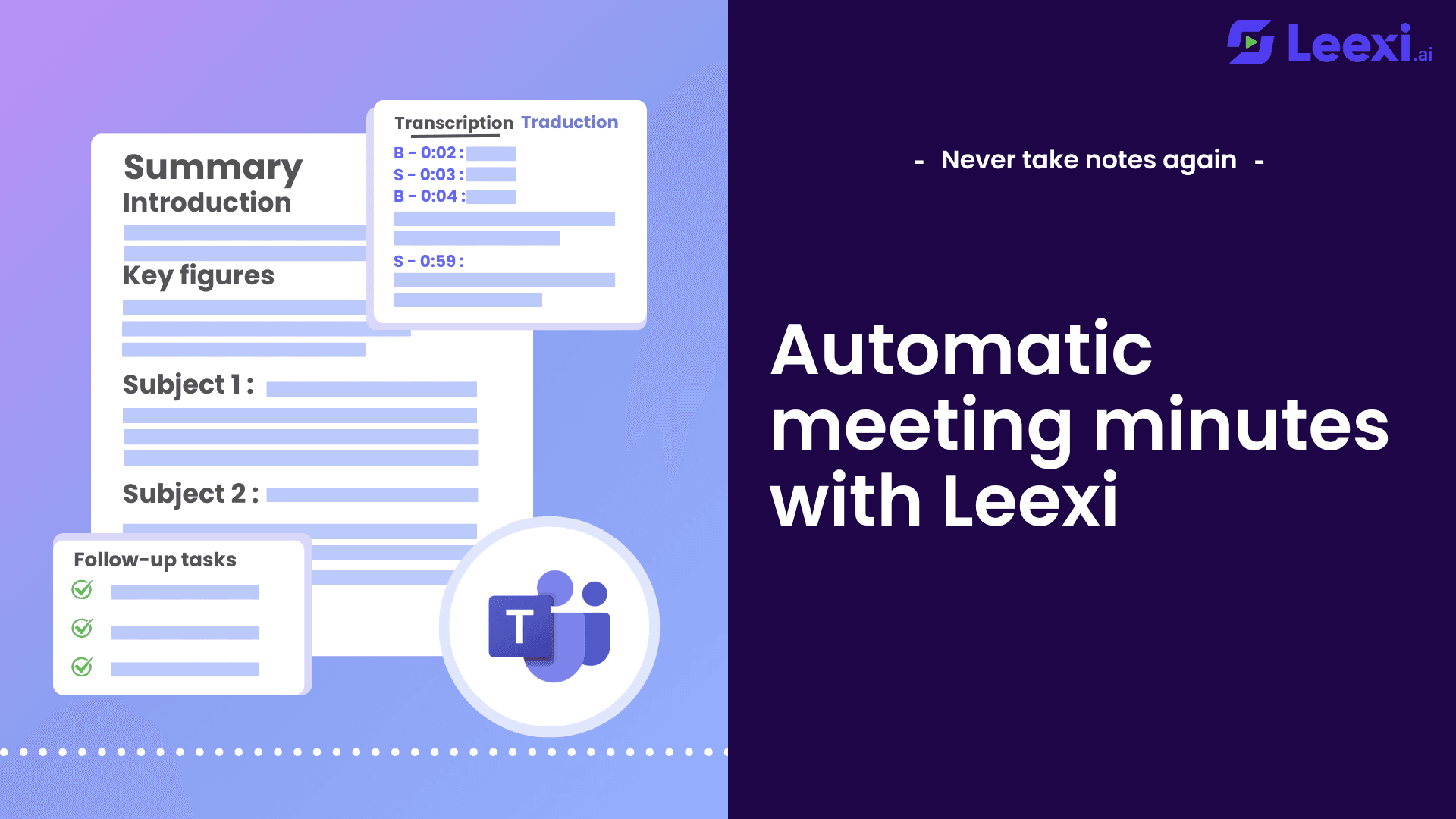
Automate note-taking at your meetings on Teams with Leexi
Automate Teams note-taking with Leexi: boost productivity, focus on discussions, and get detailed meeting summaries.
06/17/2026
Read more
Automatic digest of your Microsoft Teams meetings
Simplify your meetings with our integration of Teams with Leexi. The assistant can join your meetings automatically and record them.
09/22/2026
Read moreReady to boost your productivity with Leexi?
Leexi AI Notetaker takes notes for you