Skype: The Best Productivity Solution
- Communicate Professionally
- Call Anyone, Anywhere for Free
Skype is a VoIP (Voice over Internet Protocol) video conferencing service that lets users make and receive free voice and video calls over the Internet using a computer, web browser, or mobile phone. VoIP enables communication that bypasses traditional landlines and mobile plans.
What is Skype?
Skype is software that connects people worldwide. Millions of individuals and businesses use Skype to make free one-on-one and group video and voice calls, send instant messages, and share files with others on Skype. You can use Skype on whatever suits you best—your mobile, computer, or tablet.
The History of Skype
Skype was created in the early 2000s and was a pioneer in its market. (Fun fact: I remember using it back in middle school.) Until March 2020, they had over 100 million monthly users and nearly 40 million daily users.
Then came what was initially their blessing, then their challenge: lockdowns. At first, everyone turned to Skype—some as usual, others dusting it off.
Eventually, their disruptors entered the market and gained fame: Zoom and Google Meet. These did everything Skype did, but better and for free. Other business telephony tools offering video conferencing also took a big share of the market. Fortunately, Skype managed to bounce back and thrive in sales enablement.
Skype is free to download and easy to use.
If you pay a bit, you can do more, like call phones and send SMS. You can pay as you go or get a subscription, whichever suits you. In business, this means you can bring together your entire ecosystem of workers, partners, and clients to get things done.
Try Skype today and start adding your friends, family, and colleagues. They’re easy to find; hundreds of millions already use Skype to do all sorts of things together.
How Does Skype Work?
Whether you work from home or want a way to chat with others via video, Skype has broken down traditional communication barriers. Besides chatting with people in your app contacts, you can also use it to make international calls. If the person you’re talking to also uses a Skype account, talking to them costs nothing extra. However, for a fee, you can call and text non-Skype contacts on their mobile phones.
Skype Services
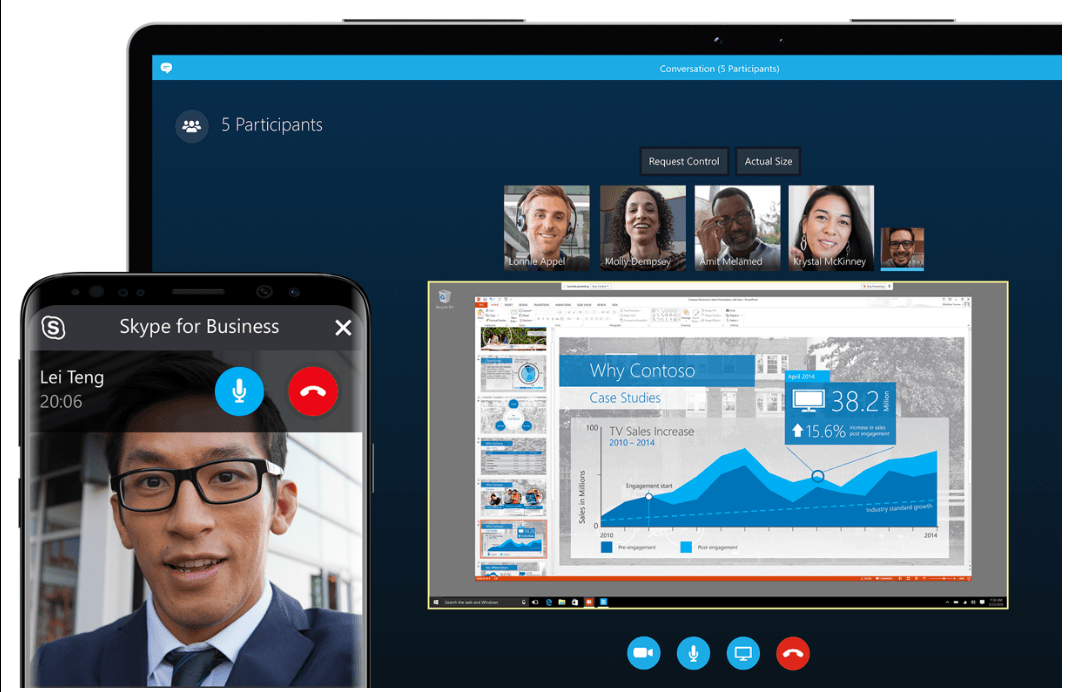
Skype offers a variety of services for business, personal, and creative needs, including:
- Meet Now: Create and share meetings. Click a button to start a session and get a shareable link to send to others.
- Skype Manager: Helps you allocate credits (used for non-Skype calls) and control features available to your business or household members.
- Skype with Alexa: Lets you use Skype with Alexa, the digital assistant on Amazon Echo devices.
- Skype with Outlook: Lets you use Skype without leaving your inbox.
Skype’s Premium plan offers extra features and enhancements, with strong cloud-based business solutions. Its complex, sophisticated back-end engines can support even large organizations.
4 Notable Skype Features
Skype is feature-rich and constantly innovating. Here are some useful things you can do with the software:
- Skype Translate: Have conversations in different languages and understand each other as the app translates in real time.
- End-to-End Encryption: Talk and meet without worrying about unwanted visitors intercepting your call.
- Screen Sharing: Share your desktop to boost productivity, training, and troubleshooting.
- Live Captions: Display a real-time on-screen transcription.
Recommended Articles

Boost your business with Strales
Strales: the most efficient lead machine on the market. Find out how outsourcing services can help your startup grow and succeed.
09/22/2026
Read more
Discover UpLead, a powerful prospecting tool
Finding prospects and converting them into paying customers is a major challenge for any organization. UpLead supports you throughout your B2B journey.
09/22/2026
Read more
Want to save time and money? Try videoconferencing instead
Connect with people around the world. Videoconferencing lets you share screens, video chat, and message your team or clients easily.
09/22/2026
Read moreReady to boost your productivity with Leexi?
Leexi AI Notetaker takes notes for you