SharePoint
- Effortlessly centralize all your meeting summaries and transcriptions in Microsoft 365.
- Collaborate in real time on each note using Word Online and SharePoint.
- Everything is automatic: connect once and find your documents organized by date and title.
SharePoint
Connect SharePoint to Leexi and automatically store your summaries and transcriptions in a dedicated document library.
Access all your meetings organized by date and title directly within your Microsoft 365 environment.
Collaborate in real time with your team on each note via SharePoint and Word Online.
Overview of the Leexi + SharePoint Integration
This integration automatically sends your meeting transcriptions, summaries, and AI insights directly to a dedicated SharePoint document library.
No more copy-pasting or searching for documents: everything is centralized, sorted, and updated automatically in your SharePoint space.
And the best part? It’s all automatic! Simply connect your Microsoft account to Leexi once.
How to Integrate SharePoint and Leexi?
Step 1:
Go to your Leexi account, then to the My Integrations tab.
Find the SharePoint integration, then click "Authorize with Microsoft".
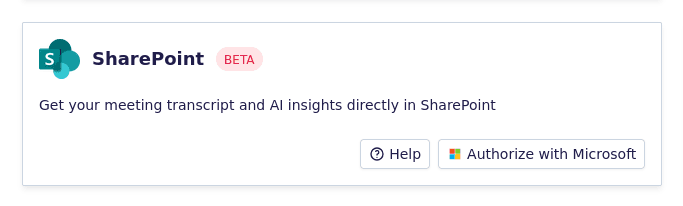
You will be redirected to the Microsoft login page. Sign in with your work account and accept the requested permissions.
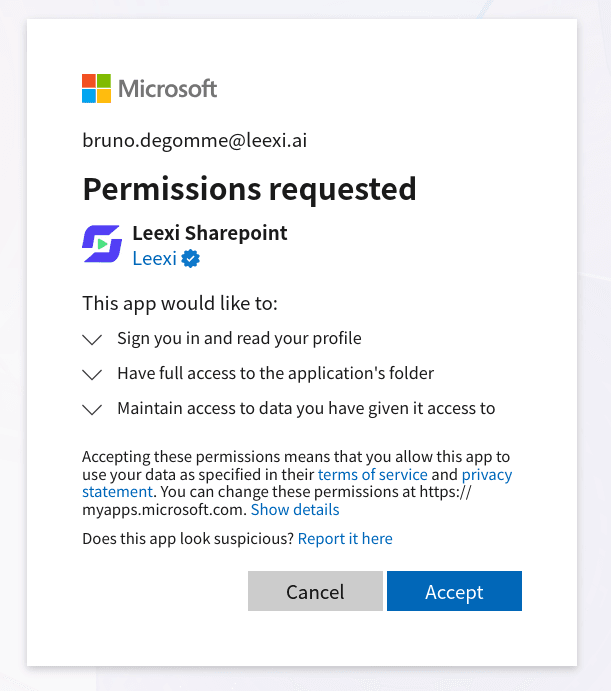
About Permissions
The note “Full access to the app folder” means Leexi will not access your personal SharePoint files.
The integration only creates and updates documents in the dedicated folder: Apps/Leexi Sharepoint
No other files or folders in your SharePoint environment will be accessible.
Step 2:
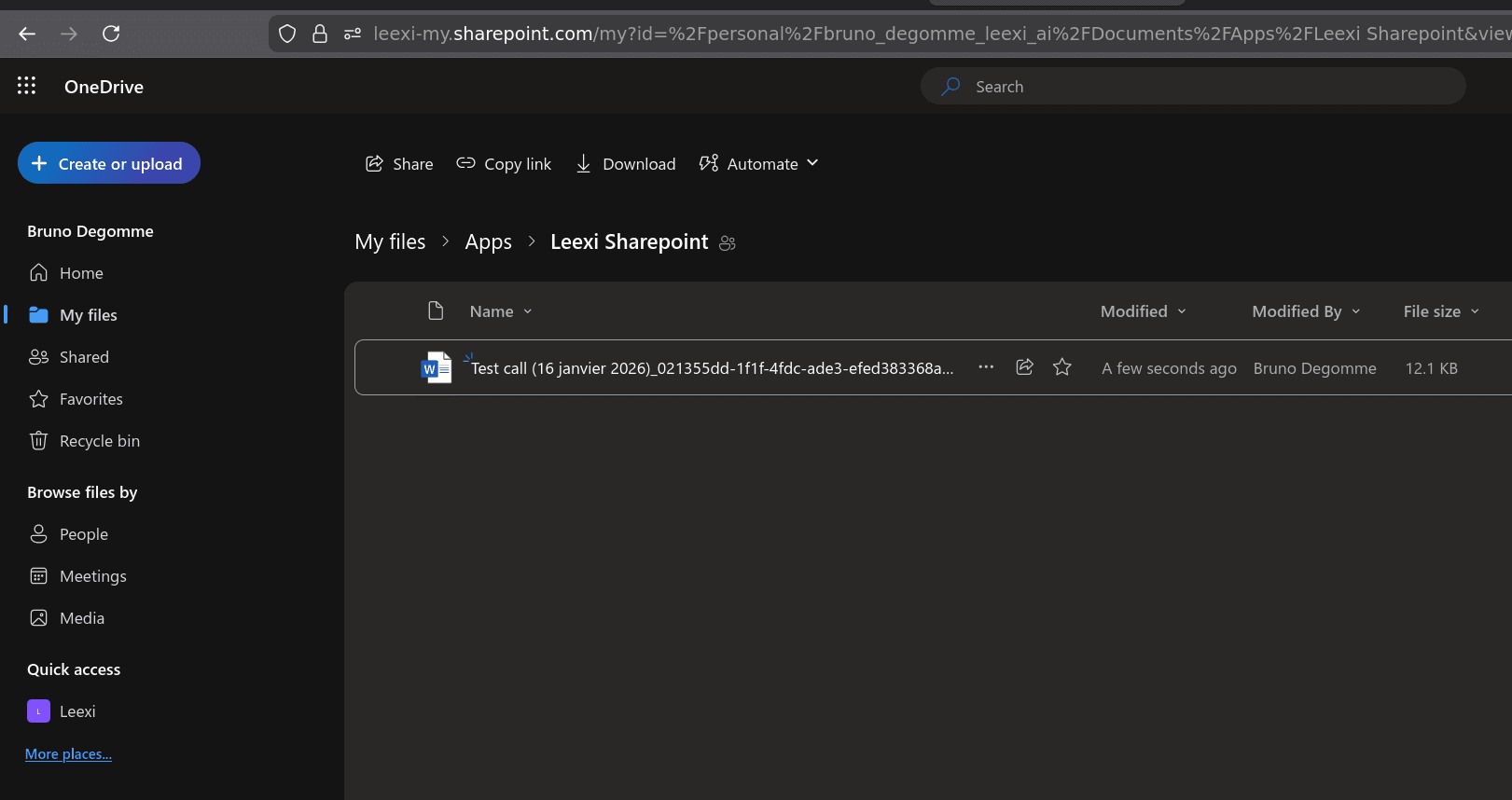
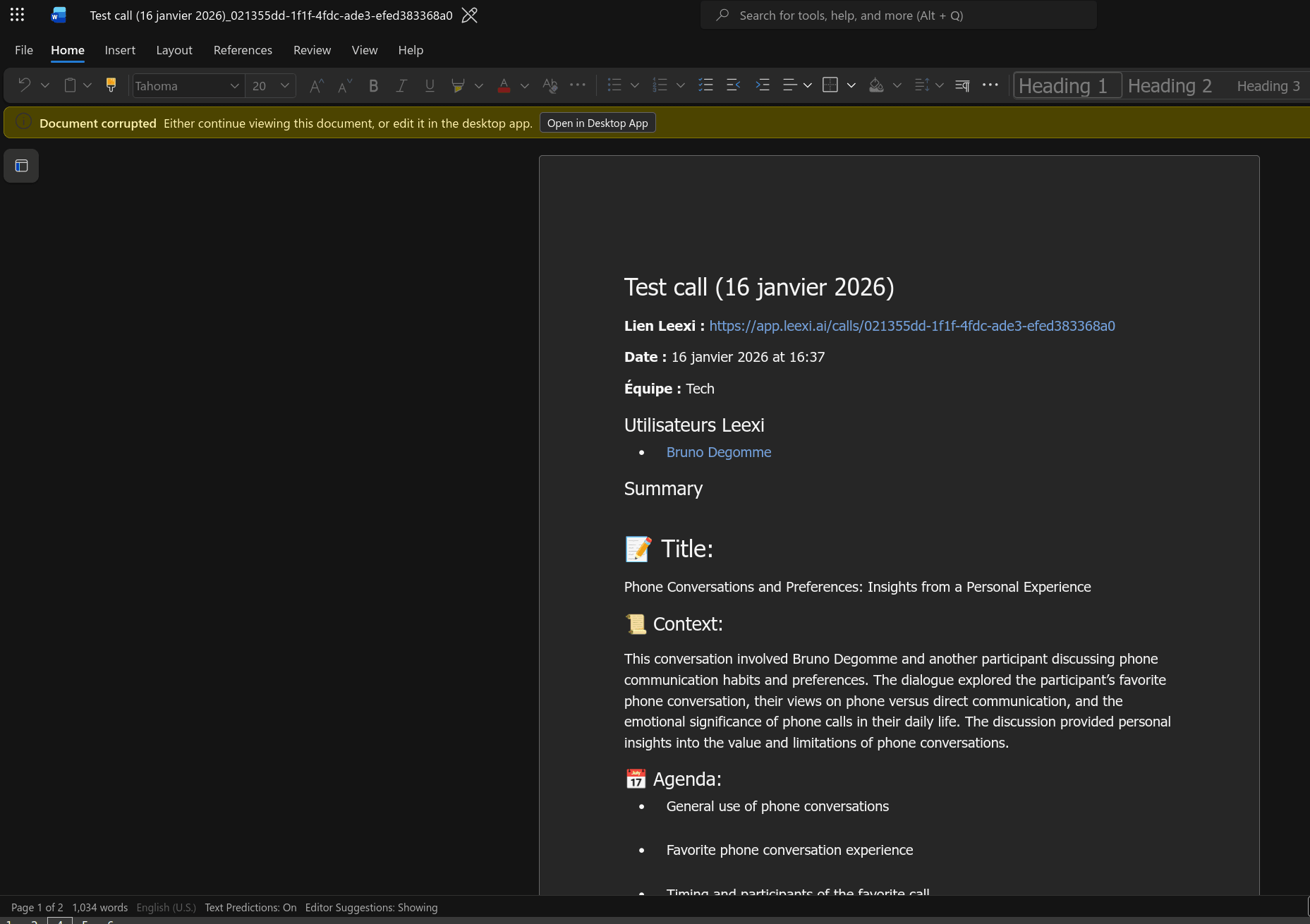
Once the integration is enabled, a Word document will be automatically created for each call you join.
These documents will be saved in the folder: Apps/Leexi Sharepoint
Each file will contain the summary, transcription, and insights generated by Leexi.
This way, all your meetings are automatically organized without any manual action.
Benefits of the Integration
By integrating SharePoint with Leexi:
- Your summaries are automatically stored in your Microsoft 365 environment.
- Easily find all your meetings sorted by date.
- Collaborate in real time with your team via SharePoint and Word Online.
- Save time and centralize everything in one place.
Ready to boost your productivity with Leexi?
Leexi AI Notetaker takes notes for you